A quick way to boost your SEO is to update and optimize your old blog posts. Generally, when we look back to posts we wrote months ago, we realize that there are tweaks we can make to increase the on-page SEO, better align keywords with our brand, or create more engaging copy.
Sometimes, this is because of new knowledge we’ve acquired, changes to search engine ranking parameters, pivots in overall content strategy—or a combination of factors. Whatever the case may be, it makes sense to regularly look back at your preview blog posts, to be sure that they are truly optimized.
By re-optimizing existing content, we can take pieces that are already created, and in a relatively short amount of time, tweak them so that they bring in substantially more traffic.
Improve On-page SEO

There are a few hallmarks of high-quality on-page SEO. Double-check to make sure that you’re hitting on all these basics, and didn’t skimp anywhere the first time around.
Keywords and Long-tail Keywords
Confirm that your post is aligned with a specific set of keywords that are important to your site. Does your title contain a relevant key word? Does your copy contain multiple formats of your long tail keywords? These are the basics that SEO has been based on for decades.
H1 Text
H1 text refer to the text contained within an H1 tag—an H1 tag being the HTML markup for your title or highest level page header. Search engines crawl these higher level pieces of text for clues as to what your post is about. Make sure you’re using specific, targeted language in your section headers. Avoid using vague phrases like “You Can Do It Too” in headers as they don’t contain any keywords, and don’t provide SEO value.
Images and Alt Text
Double-check that your blog post has a featured image, and ideally another couple images throughout. Images help in a number of ways. They break up white space, making your piece more readable. They increase time spent on page, as people view your photos before scrolling to the rest of the text. And they offer valuable SEO benefits, when used correctly. Check all of your images and be sure that they have titles that contain relevant keywords, and that their alt-text also contains relevant long-tail keywords. Think about where that image may show up in a google image search. Make your post work double-time!
Meta Descriptions
Meta descriptions are overlooked more often than bloggers care to admit. Don’t just copy and paste the first couple of lines of your blog into your meta description. Sometimes this may be decent meta description copy, but usually it won’t be. Make sure that your meta description gets the gist of your entire article across, and makes the value of the post known. Oh yeah, and do all that in less than 100 characters. It might take some time to get the hang of writing great meta descriptions, but it’s a skills worth cultivating.
Take SEO to the next level
Now I’m going to take you through some steps you can use to go beyond the basics. So if the first half of this blog post was a review for you (my apologies), now is the time to start taking notes.
Advanced Keyword Research
Keyword research is imperative to staying at the top of your game, and at the top of the search results. Most of us are pretty well-versed in the top keywords for our fields—but it’s important not to get complacent. Keep up the research, and keep changing the game to see continued improvement on your SEO rankings.
Using Google Search Console and Ubersuggest you can research related keywords that will help you to boost your relevance and authority. These sites provide related keywords/long-tails and shows how many people are searching for them. You also have the ability to view the difficulty score for each term, so that you can prioritize your keyword choice.

Using Google Search Console, you can view the top searches that are driving traffic to your site. You can also view which pages that traffic is going to. You can use that knowledge to optimize your pages, by including the keywords that you are ranking for, in more ways.
Using Ubersuggest, you can find other long-tail keywords related to your main keywords (along with information on their traffic and ranking difficulty), to help you better cover your topics in depth and breadth.
After identifying related keywords that are going to help you more—keywords that are generating more traffic, that are related to your brand, and will build your authority—begin inserting those tags into your copy.
Revamp Titles
First, revaluate your titles. Are you including your keywords in the best format for generating traffic? Check your titles against the most searched for terms related to your topic. If your pages are already bringing in traffic related to a certain keyword, make sure that your title is optimized for that keyword. Align your titles with what people are searching for!
Meta-Descriptions
After your title is squared away, take a look at your meta-description. This part is essential. Confirm that your main keyword is present in your meta-description, and that the long-tail variations that you’ve chosen are the best ones (generating the most traffic, and that you have a higher chance to rank for).
Update Headings
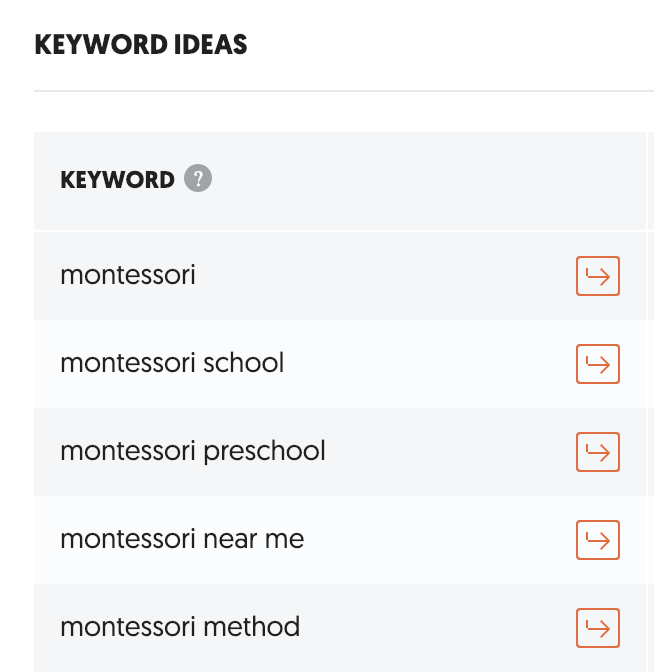
Next up are your header tags. Like your titles, you need to craft headlines that align with the highest searched for and/or easiest to rank for keywords. You can use Google Search Console to determine which words to emphasize, and you can use Ubersuggest to suggest related long-tail keywords that you could be optimizing for, to increase your traffic and authority.
Create catchy headers that contain popular long-tail keywords for which you want to rank, and you’ll not only increase traffic from those long-tail terms, but you’ll reinforce your authority and rank for the main keywords as well.
Rework your Copy
After finding more related long-tail keywords that can help you generate traffic, rework your copy to include segments about those top-ranking keywords. Identify long-tails that fit well with your existing posts, for quick and easy ways to add value to your content. Make sure that you aren’t shoehorning keywords into your blogs, though. Only write about things that make sense in the context of your post!
Tags!
And we can’t forget. Always include these new keyword variations in your tags!
Good luck, and if you need help. You know where to find me!

 DeMaio Digital Marketing
3 thoughts on “Optimize Your Existing Blog Posts: Advanced Keyword Research”