Do you want to increase the Time on Page for your landing pages up to 300% without spending a cent? Including a moveable, VR-style panorama can increase the time spent on your page, and you likely have all the resources you need within arm’s reach.
Using Click and Drag Photos
Using a panoramic photo to provide an immersive experience for your customer seems obvious in some fields, like real-estate or hospitality, where getting a detailed view of your surroundings is a deciding factor in the conversion or transaction. But this tactic is also useful in a wide variety of applications.
Provide a tour of your office space or new location
Give an up close look at new locations or renovations
Close up photos of detail work—drafting boards, circuitry, stained glass, scroll work, etc.
Website visitors can’t help but pan around your photo and see what’s hidden out of the frame. Get creative and find something in your field that lends itself well to the panoramic format.
Taking Panoramic Photos
If you have a smart phone, you have what it takes to record, upload, and embed a panoramic photo onto your website.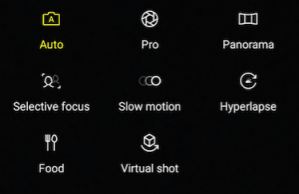
Look into your camera settings. In most phones, you can switch to panorama mode straight from your camera. Once you choose the panorama setting, taking a panoramic photo is as easy as pressing a button, and turning your body from one side to another.
Position yourself so that you are facing the far left or right of your subject, click the camera shutter button, and then slowly pan across the entirety of your focal area. Once you’ve reached the other end, click the stop button.
Uploading and Embedding Panoramic Photos
Once you’ve taken your panoramic photo, choose a free panoramic and/or 360 degree photo hosting site to upload the photo to. I’ve had positive experiences with OmniVirt, a free hosting service that offers a variety of applications for both 360VR photos, and panoramic photos.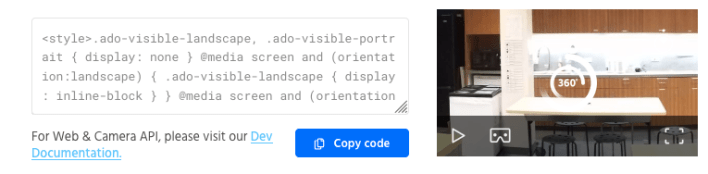
Upload your photo to OmniVirt to generate an embed code for use on your site. I generally go with the responsive size, for sites that are mobile and desktop friendly.
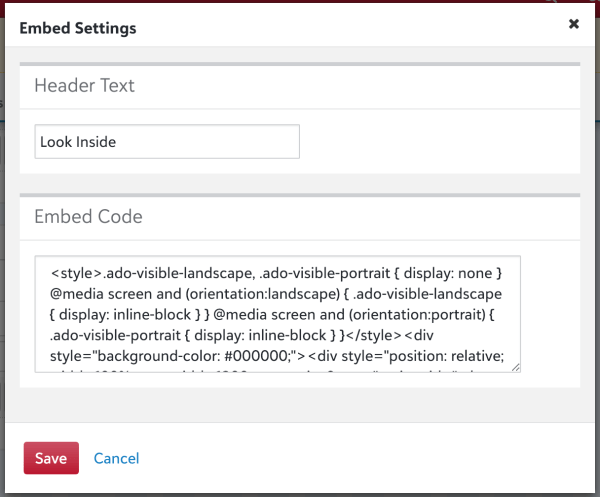 In most blog and webpage editors, you can easily include this embed code by dropping in an embed widget, and pasting the code in. Double-check that your editor has an embed widget!
Use Hotspots for Increased Time on Page
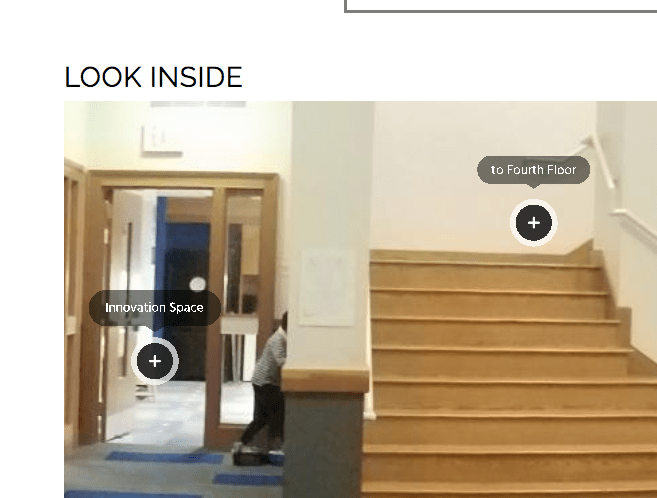
OmniVirt also allows the option for hotspots. Hotspots are clickable areas within your embedded panorama. These clickable hotspots can link to related pages on your site, or to other panoramas—think about stringing multiple panoramas together to create an immersive tour-like experience.
Caveat:
Some sites/text editors (cough…Wordpress…cough) make it difficult to include embedded content within blog posts. Double-check that your host has a basic embed widget to paste your embed code into.
Bonus: 360 panorama embeds load much quicker than videos. Don’t be afraid to incorporate large format embeds—as long as your images are high quality!
Looking for help increasing time on page, or SEO in general? Get in touch!

 DeMaio Digital Marketing