Using this great tool at clicktotweet.co allows you to craft sharable tweets, and link them in your blog posts and other communications. You can create a pre-written tweet that will automatically be linked to the account of the person who clicks the link. All they will have to do is click share, and your tweet will show up on their feed!
Share this article on twitter: Use ClickToTweet to Increase Social Shares!
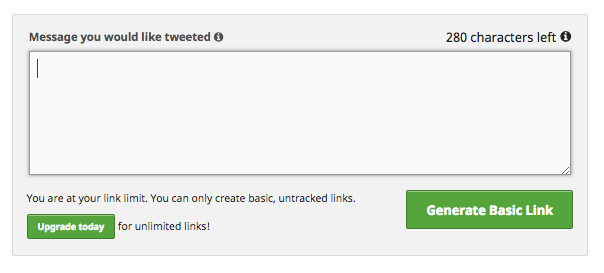
The process is simple, but it takes careful strategy to get results. Make sure that the tweet you craft has value for your reader (the potential sharer of the tweet) as well as yourself. Make sure your tweet is relevant, and that the text of the link you create is up front about the purpose.
One of the best tactics for this is to craft a tweet with an exact quote, or paraphrase of the most important or interesting points in your article. Include a link back to the article, to help your readership, and drop a link directly next to the tip you are including in the tweet. Make the link obvious and conspicuous, with a tagline like “share this snippet on twitter!”

How is it done?
Head over to clicktotweet.com. You’ll start by connecting your twitter account and giving clicktotweet access to it.
Next, you’ll start crafting your tweet. Remember, the text of the tweet will appear to your reader as soon as they click your link. Consider where this link will show up in your copy, and make sure your tweet is relevant, concise, and appropriate.
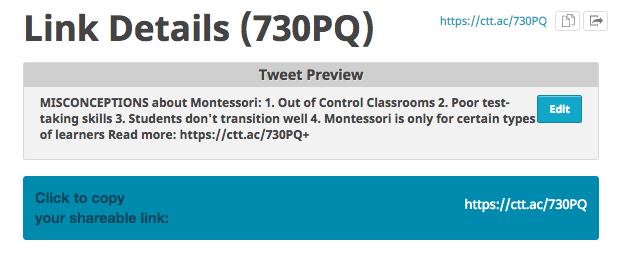
After you’ve created your tweet, you simply generate a link to the tweet. This link can be added anywhere on your blog page. Obviously, I suggest creating a custom link text that explains what the URL is for. Always be up front about the purpose of these links!
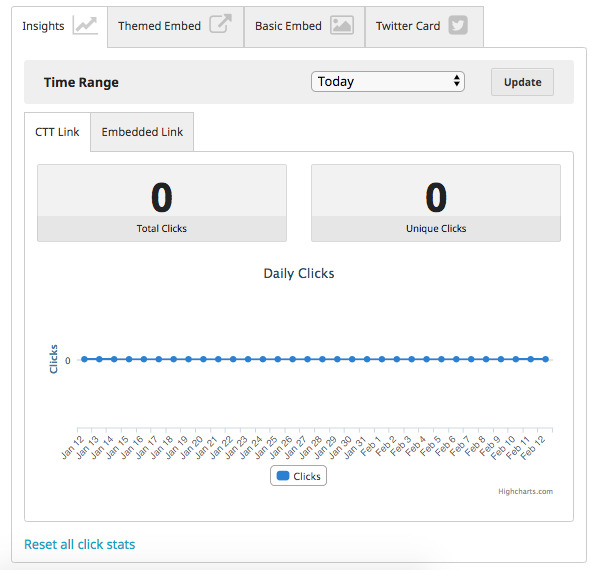
From there, you sit back and watch the social shares increase. Click to tweet allows for a limited number of “tracked” links to be created on their free platform. These tracked links have a slate of analytics for you to observe and track. Once you reach your limit, you’ll be able to create sharable links, but they won’t have the analytic options.
If you’re looking for help on increasing traffic to your site, and increasing social shares of your content, get in touch today!

 DeMaio Digital Marketing