One of the tricky parts about creating multiple audiences for your ads is the potential for overlapping!
Avoiding Audience Overlap
Are your lookalike and custom audiences actually overlapping with each other? You may be delivering ads to the same segment of people over and over again, without even realizing it. If you have multiple ads running, aimed at multiple audiences, you won’t be able to see directly from the frequency score, whether you are burning out your audiences. If your audiences are overlapping, you could be doubling up your costs, and lowering your effectiveness. You could be oversaturating these audiences, or even annoying your target buyers.
Determine if Your Audiences are Overlapping
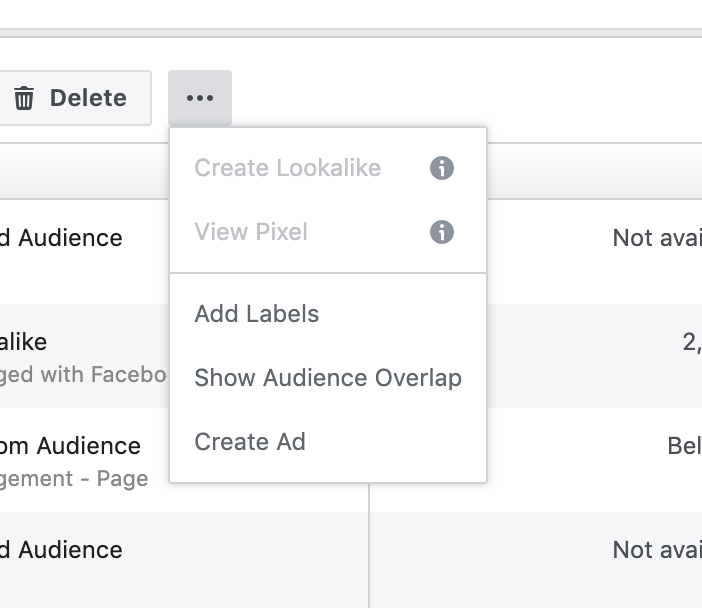
The first thing you’ll want to do, is check to see if your audiences are overlapping. You can do this by going into your audience assets, and comparing two selected audiences. Simply, click the check box next to the two audiences you’d like to compare, and then click the button with the three dots aligned horizontally. One of your options will be to “Show audience overlap.”
This option gives you a detailed account of where, and how severely your audiences are overlapping.
Lookalike Audiences Overlapping
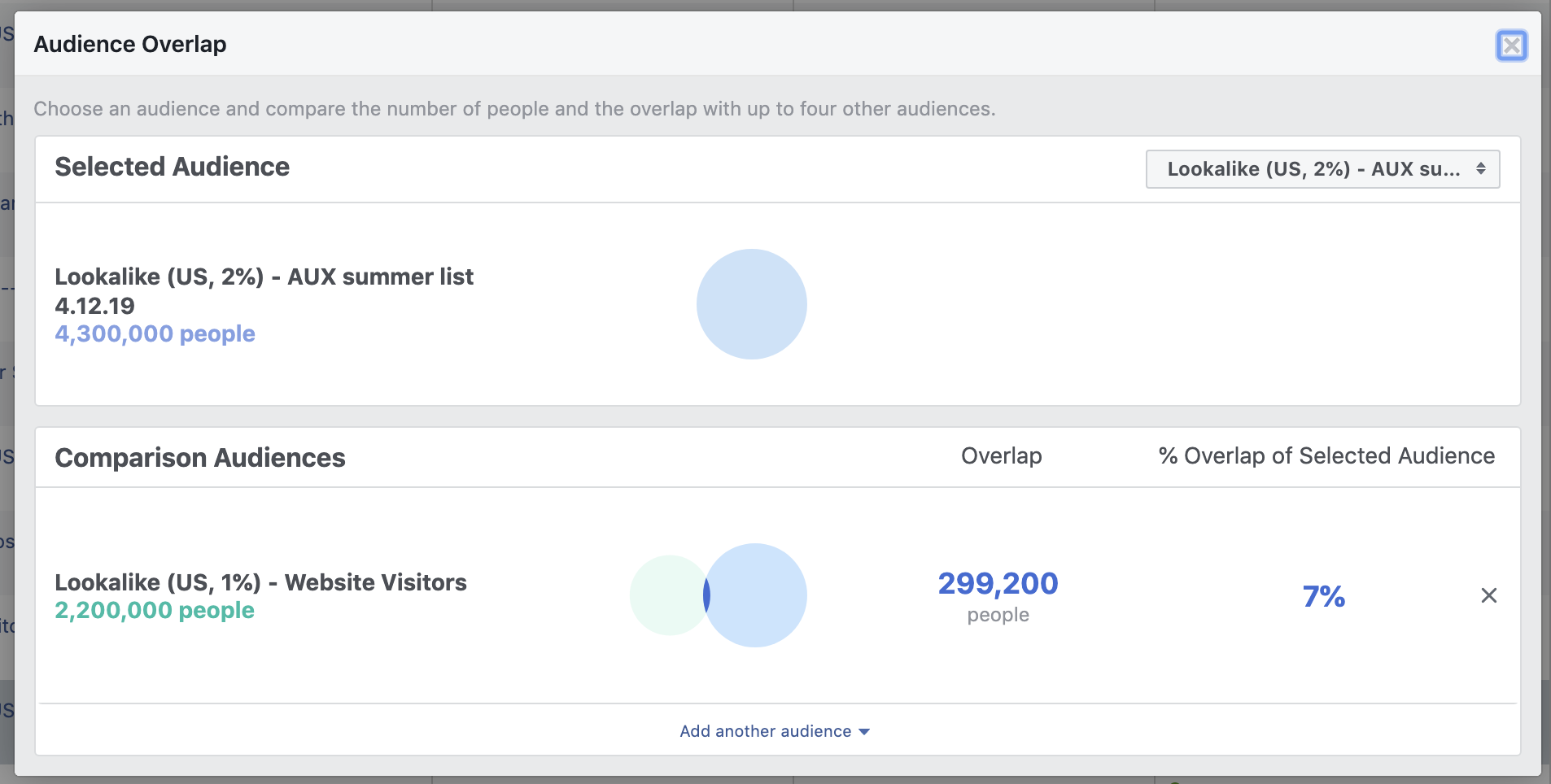
In the example below, you see that the AUX summer list Lookalike Audience overlaps with the Website Visitors Lookalike Audience by 7%. This makes sense, considering many of the people on the “Aux summer” list would fit the characteristics of a general website visitor.
Prevent Overlap
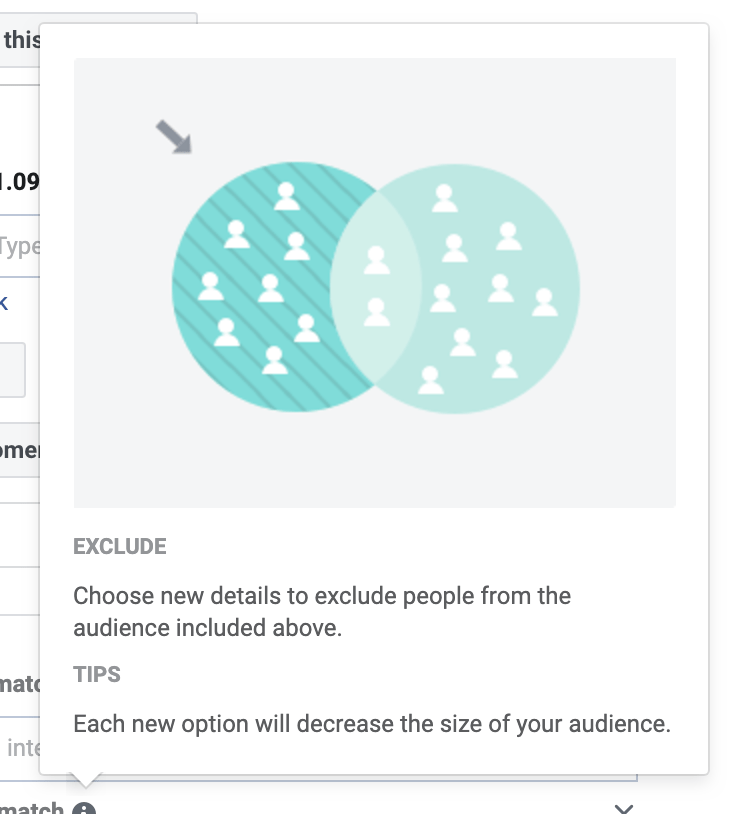
There is an easy way to get rid of your overlapping aspects, by using audience exclusion. Depending on your needs, you can choose to exclude certain aspects of your total audience pool from different, specific audiences.
Excluding Custom or Lookalike Audiences
Say you want to market to everyone who has viewed your website (or everyone who “looks alike” to your website viewers), except for those people who are already sales qualified leads. You can create a custom audience of Sales Qualified Leads, and choose to exclude them from your overall website visitors audience. Being able to exclude certain audiences from your Lookalike audiences can help you create much more targeted ad sets, lowering your cost per conversion.
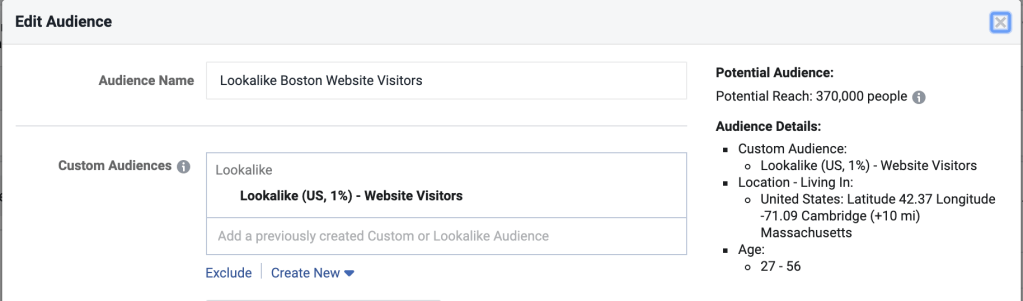
In order to do this, navigate to the ‘ad set’ level of your campaign (when creating or editing the campaign) and edit your audience. Under the custom audience window, you’ll see the link that says “exclude.”
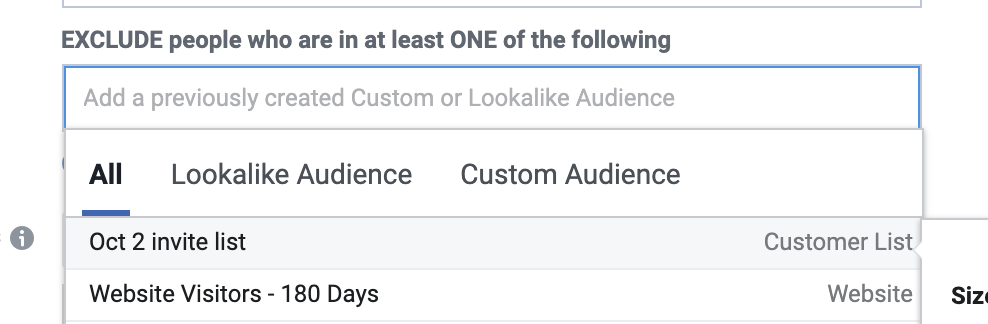
You can choose any custom audience on your list to exclude from your current audience. With a bit of planning, this feature will help you completely eliminate any unwanted overlap.
Conclusion
Using custom audiences and lookalike audiences is one of the most important keys to marketing on Facebook. Utilizing exclusion tactics is the first step towards taking your remarketing to the next level, by preventing audience overlap, and increasing your ROA.
Need help getting your audience in order? Drop us a line and we’ll be happy to help.

 DeMaio Digital Marketing