When dealing with the powerful Hubspot CRM, the crux of automation is the workflow. Workflows can be designed to fire on any number of triggers, and range from simple, single-variable changes, to complex outreach campaigns. By combining multiple workflows, you can automate your Hubspot account to run nearly on autopilot. Your workflows are the hub that powers the rest of your automation!

Hubspot Workflows
Workflows integrate with nearly every aspect of your Hubspot environment. Using a workflow you can: trigger an email sequence; send an internal email to a team member; add a prospect to a contact list; give a prospect a new contact property; respond to event RSVPs in real time; etc. That is only a tiny representation of the things you can do. There is no end in sight to the things that you can accomplish using Hubspot’s workflow tool.
Getting Started: Contact Properties
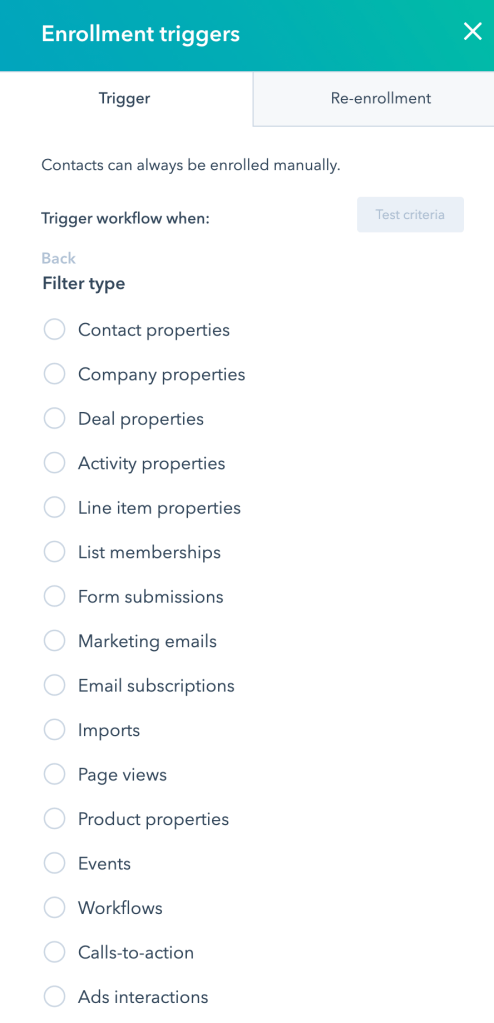
When dealing with contacts in Hubspot, it all comes down to contact properties. These are the bits of data associated with your contacts, that you can use to track and contextualize outreach to your prospects.
The number of properties your contacts can have is essentially endless. New properties are created when prospects interact with your content, forms, CTAs, etc. Using workflows, you can segment your contacts based on their properties and behaviors, to as granular a degree as you please. You can then target your outreach depending on those properties, behaviors, and segmented contact lists.
One important thing to remember when wrapping your head around Hubspot’s workflows, is that you still need to collect basic contact information from your contacts, in order to segment and reach out to them. One of the best ways to break the ice, and collect a contact’s name or email address, is through gated content.
Gated Content: Content Offers
Hubspot’s trainings talk a lot about the power of content offers, and gated content. Gated content is, essentially, valuable content that you are willing to give away (but not completely for free). That’s where the “gated” part comes in. You need to get through the gate by submitting a form with some of your information. You’ve undoubtedly seen this tactic before. “Add your email address and we’ll send you the free ebook,” is a fairly common and useful tradeoff. If your content is useful enough, people will clamor to trade their email address for your ebook (or whatever else you are offering).
Gated content isn’t the only way to grab a prospect’s info—in fact, people have gotten quite creative with this. You don’t have to go too crazy though. There are many occasions to collect info from your prospects; when they schedule a call with you, purchase a product or service, subscribe to your blog, attend an event, or send you an email, are just some that come to mind. Depending on your business, there are tons of different ways to break the ice and make that connection.
Using Workflows
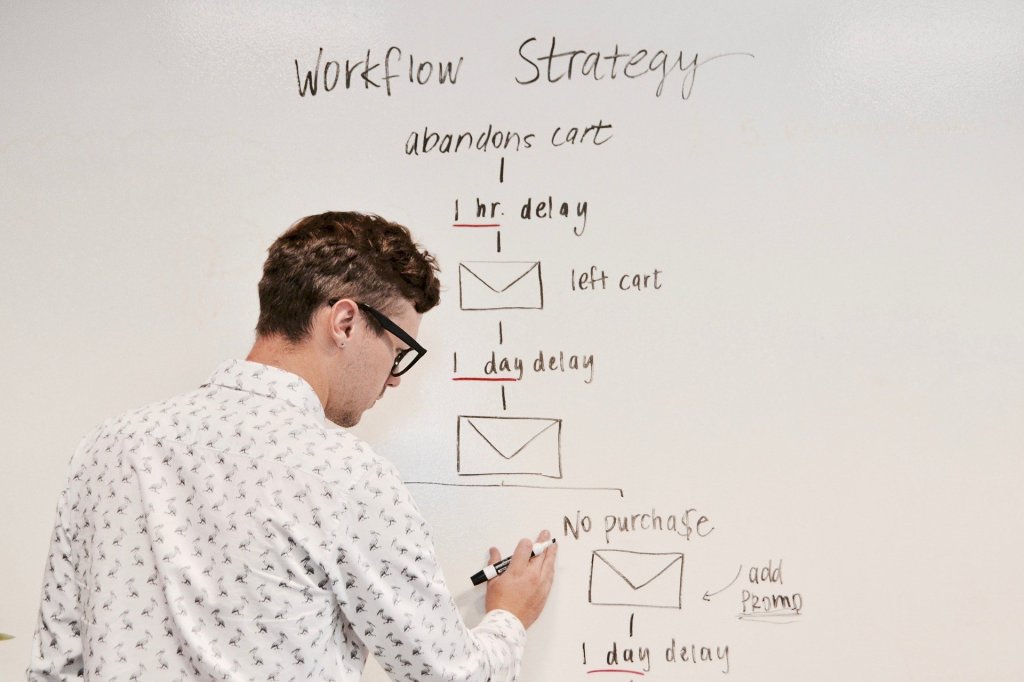
Even before you have a group of contacts in your Hubspot CRM, you can begin setting up workflows. When you create a workflow, you can set it up to enroll all contacts that currently meet the criteria of the workflow, or you can set it up to only enroll contacts who meet those criteria going forward. So you can set up your workflows at any time, and choose whether they work retroactively or not.
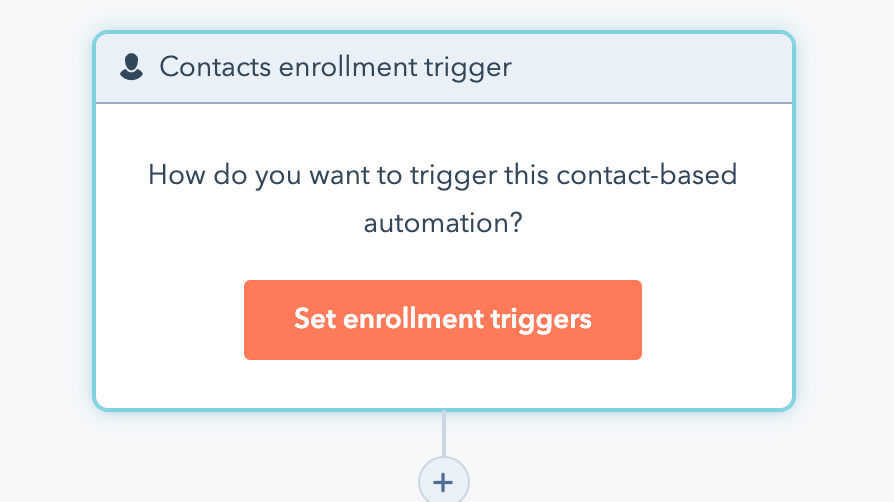
One way that we utilize workflows with our clients is simply to assign contact properties or lead statuses based on prospect behavior. That is to say, when a known prospect does a certain thing, we tag them with a new piece of data we can track. Has your prospect viewed the same product page more than once? Automatically add a contact property that marks them as interested in that product and product category—and mark them as a sales qualified lead! Now that they are tagged, we can deliver contextualized pieces of marketing material.
Workflows and Active Lists
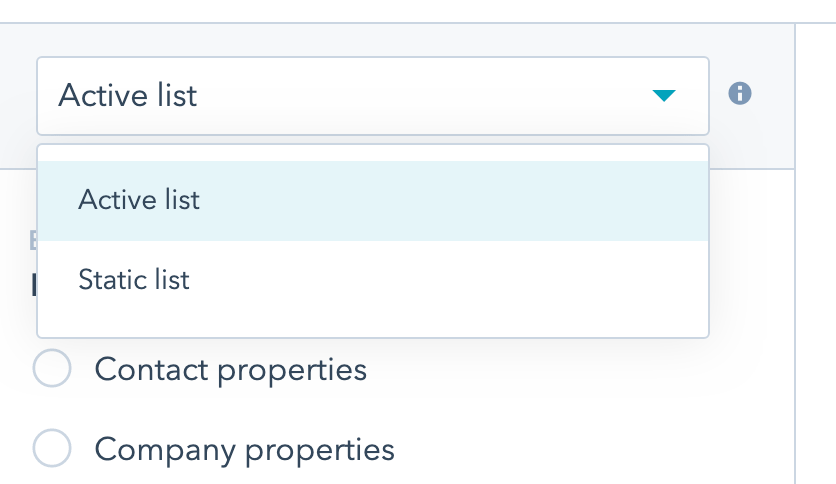
In order to take that next step, and start contextual outreach, you’ll want to use workflows in tandem with active contact lists.
In your contacts area, you have the option to segment contacts into lists, based on many of the same criteria that you can use to enroll folks into a workflow. This part can get a bit confusing, because you essentially have two choices when it comes to this “automated” outreach—but a combination of those choices will usually serve you best.
The two choices you have with regard to automated, contextual outreach:
- Contextual outreach (emails, ads, blogs etc.) dependent on the prospects’ behaviors on a rolling basis (so they would get your email X amount of time after they perform a specific action).
- Outreach sent on a regular, intermittent basis depending on static timelines, and your business needs.
Here’s what I mean by this…
Rolling Basis
Say a prospect downloads your ebook, by submitting their email address. That prospect expects that the ebook will be in their inbox nearly instantaneously. For this instance, using a workflow to immediately trigger an email (or email sequence) is your best bet. That way, any time a prospect engages in this behavior, they will have the same experience.
Using that same behavior as your enrollment criteria, though, you can also add that contact to a active list!
Intermittent Outreach
Adding your contacts to specifically segmented lists is useful for a number of reasons. Firstly, it gives you a quick look at just how many people are engaging with your content. More importantly though, it gives you an opportunity to re-engage with these contacts going forward.
The Combination Approach
In some cases, using a workflow is effective for the re-engagement campaigns as well—but only if your content is evergreen. (Sending out an automated email about a related product might seem like a great idea, but not if that product is sold out!)
We often include a short email sequence related to a specific behavior (rolling basis) to immediately engage a prospect; once that sequence is played out, we use what we know about the prospect to deliver intermittent outreach about products, sales, or related services. Utilizing both workflows and active lists allows you to send out time-bound content, to the proper segments, at the most effective time—true contextualization.
Conclusion
Hubspot workflows are amazingly adaptable and powerful. By connecting different workflows, and utilizing active contact lists, a huge amount of your outreach can be contextualized and automated. Using a combination of immediate/rolling outreach, and ongoing/intermittent outreach, you can nurture your leads, keep them updated, and build relationships, without having to do all the heavy lifting yourself. Just be sure that you keep your content up to date!
Drop us a line if you’re looking for help automating your marketing outreach!

 DeMaio Digital Marketing
2 thoughts on “The Power of Hubspot Workflows”